
Nobody prints the wrong version because they were careless. It happens because at the moment of decision two files were both plausible, and nothing in their names said which one the customer had actually agreed to.
That makes naming a production control rather than tidiness. The cost is asymmetric, which is why it is worth engineering out: a wasted hour is annoying; a run of 2,000 menus with last month's prices is material, press time, delivery and the conversation about who pays.
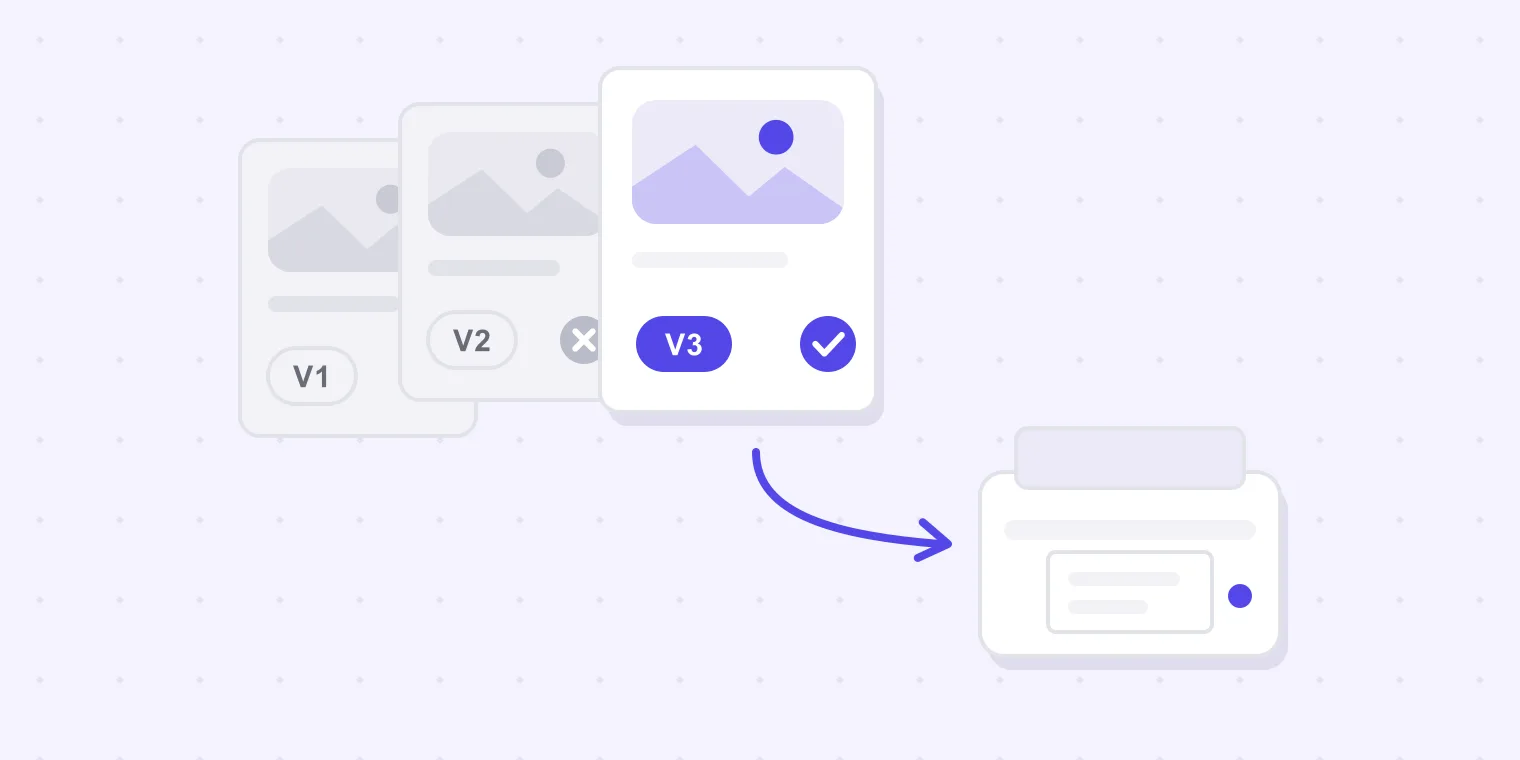
The convention, in one line
customer-job-vN.pdf

bloom-spring-menu-v1.pdf
bloom-spring-menu-v2.pdf
riverside-window-decals-v3.pdf
Lower case, hyphens, no spaces, no punctuation beyond the hyphen, and the version last so it is the part the eye lands on. A filename has one job: to be unambiguous to a tired person nine days later, in an inbox, on a phone.
The five rules that make it work
1. The version number only ever goes up. No final, no use-this, no latest. v4 is worth more than any adjective, because it can be compared. The moment a name contains the word final twice, the name has stopped being information.
2. Never reuse a number. If you re-export after a correction, it is v3, not "v2 again". A file that exists in two versions of itself is the exact bug the convention exists to prevent.
3. Never rename a file that has left the building. Once the customer has seen v2, that name belongs to them too, and renaming it desynchronises your folder from their inbox.
4. Version numbers, not dates. Dates feel precise and are not: two exports on the same day collide, and nobody can tell from 2026-08-13 whether it came before or after the phone call. If you want a date, put it in the covering message where it can carry a time.
5. The customer's name comes first. It sorts the folder the way you actually work, and it survives being forwarded into somebody else's downloads folder — where menu-v2.pdf means nothing at all.
Two optional additions, for shops that need them: a stage suffix (-proof, -print) when the same artwork exists in different outputs, and initials (-jm) when several designers export the same job. Add them only if you have felt the problem; every extra field is a field somebody fills in wrong.
Version control without a version control system
Designers are told to "use version control" by people who mean Git. What a print or sign shop actually needs is four habits, and none of them require software.
One folder per job, versions inside it. Not a folder per version. bloom-spring-menu/ holds v1, v2, v3 and nothing is ever overwritten. Disk is cheaper than a reprint by three orders of magnitude.
Keep the file you sent, not the one you can re-export. The exported copy that went to the customer is the artefact. Re-exporting the same layout tomorrow produces a different file — a checksum will say so even when your eyes cannot — and it is the sent one an argument will be about.
Working files version with the export. If menu-v3.pdf went out, the InDesign file that made it is menu-v3.indd. When the customer asks for a change to v3 three weeks later, you want to open the thing that made v3, not whatever the layout has become since.
Write down what each version changed. One line per version, in the job folder or the thread. This is the whole of what a version history is, and it is the part everybody skips.
What this does not give you is branching, merging or an audit trail somebody else can verify. If you need those on artwork, that is what a proofing tool records — see the end of this page.
Five ways the wrong file still reaches the press
The thread with three attachments. Three rounds means three PDFs in one email chain with names that differ by one character. The customer replies to whichever email is nearest the top of their inbox, and the yes attaches itself to that.
The filename that stopped counting. menu_final.pdf was followed by menu_final_v2.pdf, then menu_FINAL_use-this.pdf. This is rule one, unlearned.
The approval that names nothing. "Yes, go ahead" refers to the artwork in the customer's head. If two versions exist, that sentence is not an approval — it is an opinion about a design.
The change made after the yes. A small fix — a phone number, a bit of kerning — done after approval and before output. Now the file on the press is one nobody has approved, and it is often the right fix, which is what makes it so hard to catch.
The folder where somebody saved over. Shared drives have no memory. A designer re-exports with the same name, the earlier file is gone, and there is no way to tell which of them was shown to the customer.
Notice that four of the five are filing problems, not design problems. That is good news: filing problems have cheap fixes, and you have just read them.
Say what changed, every time
A revision email that only says "updated version attached" makes the customer re-read everything, which means they re-read nothing. Three lines are enough:
New version attached: bloom-spring-menu-v2.pdf — this replaces v1.

What changed:
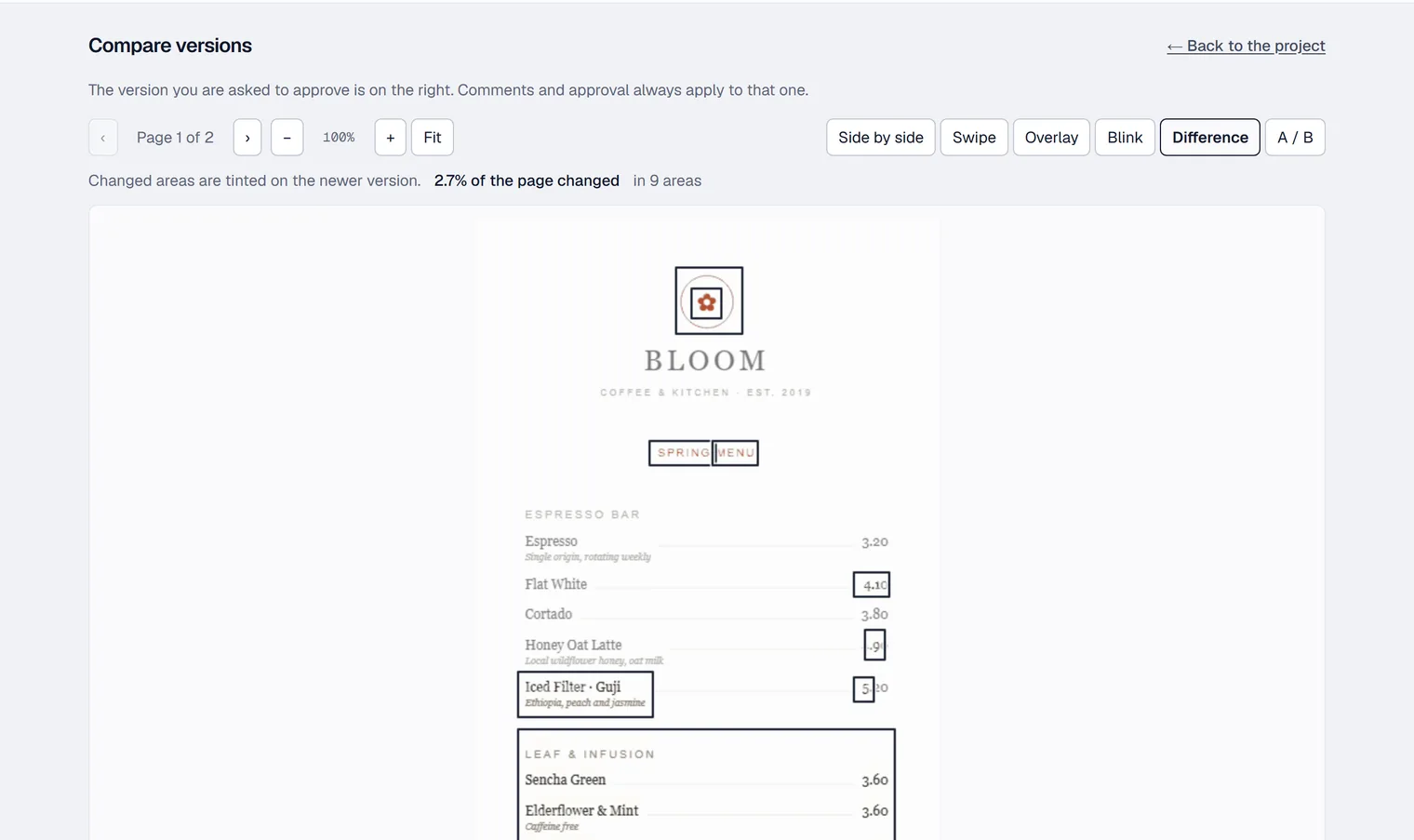
  · Honey Oat Latte price now 4.90
  · opening hours moved to the back page
This is worth doing for a reason beyond courtesy: it creates a written record of what you changed and when. When somebody later asks whether the price was ever corrected, the answer is in the thread rather than in a memory. There are copy-and-paste versions of this in our artwork approval email templates.
If you can show the difference instead of describing it, do that as well — a comparison that boxes the changed areas turns "what moved?" into something the customer can check in a few seconds:
Make the approval name the file
If you change one habit, change this one: an approval must name a version, and the naming must be done by the person approving.
"Approved" — not an approval.
"Approved v2" — an approval.
You can get there by asking for it in the covering email ("reply APPROVED v2"), and by refusing to accept anything less on a job where a reprint would hurt. When a yes arrives by phone or across a counter, write it back to them the same hour: confirming you approved bloom-spring-menu-v2.pdf today at 14:20. An unanswered confirmation is a far better position than a remembered conversation.
Check the pages nobody looks at
Multi-page work has a predictable failure: the customer reads page one carefully, never opens page two, and approves the document. The back of a menu, the reverse of a flyer and the inside of a folded card are where the old phone number survives.
Before output, on any job with more than one page, confirm the customer actually saw every page — and if you cannot confirm it, say so explicitly when you ask for the yes: approving covers both sides.
What we do about it
This is our own tool, so read the next paragraph with that in mind.
Proofavo removes the ambiguity rather than managing it. There is exactly one current version of a proof; a new revision supersedes the old one, and the customer opens a link rather than an attachment, so there is no second copy anywhere to approve by mistake.
An approval is bound to that exact version and produces a downloadable record naming it, with a SHA-256 fingerprint of the approved file — so "which one did they approve" is answered by a document rather than by a search through a thread. A proof with an open note cannot be approved until the note is dealt with, which closes the "yes, but also can you change" reply that causes half of these accidents. On a multi-page proof the approval dialog says plainly how many pages have actually been opened, and that approving covers the whole document.
After a yes, the customer cannot alter it. The shop can reopen an approved proof deliberately — that is the honest way to handle the late correction above — and reopening supersedes the earlier approval rather than quietly replacing it, so the record still shows what was approved and when.
If you would rather not take our word for it, the live demo is the real product with sample artwork in it: approve something, then look at what it recorded.